

For iPhone, iPad and Mac
UnAttic
See what's filling your storage and clean it up, privately on your iPhone.

Free to download. Pro is $5.99 a month or $19.99 a year. Delete up to 1 GB in total of duplicates, bad shots and more free. Prices may vary by country.

A closer look
-

Similar photos, best shot kept -

One grid, the app's best guess at what to clean up -
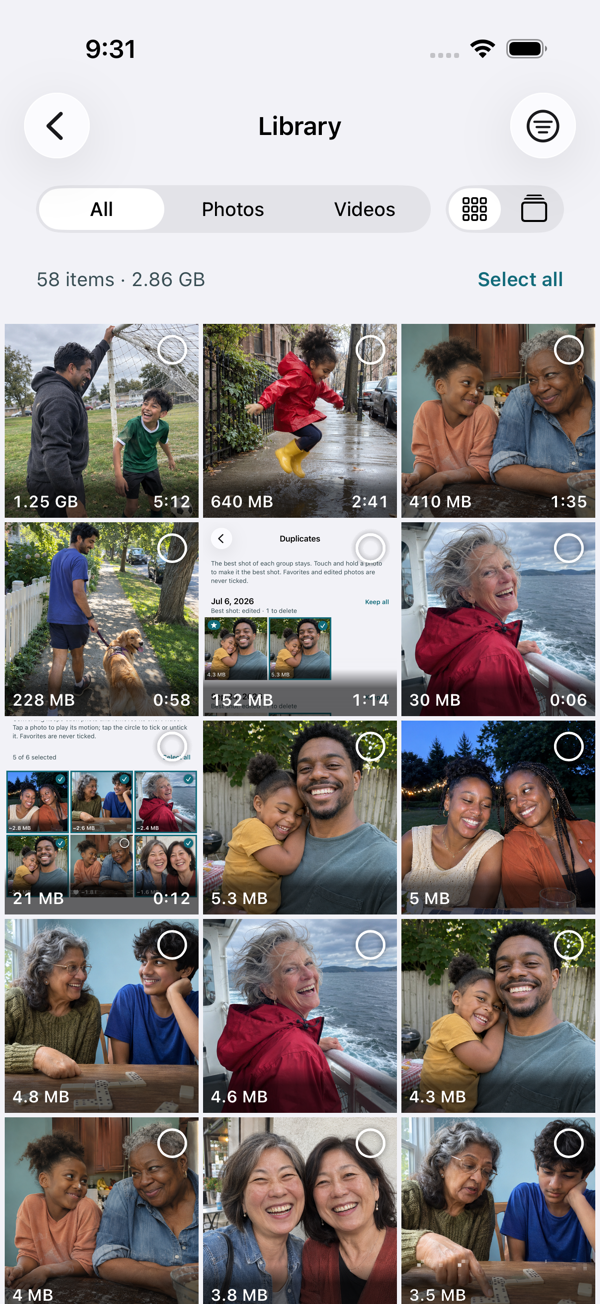
Browse your whole library, filter by place, year or size -
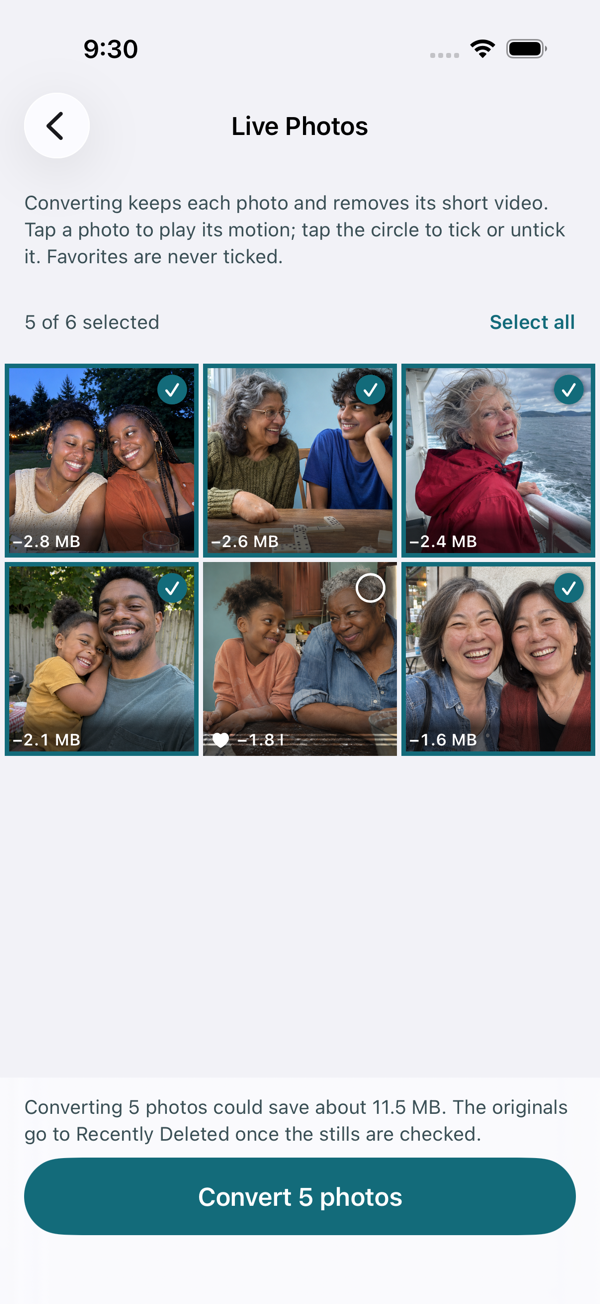
Live Photos to regular photos -
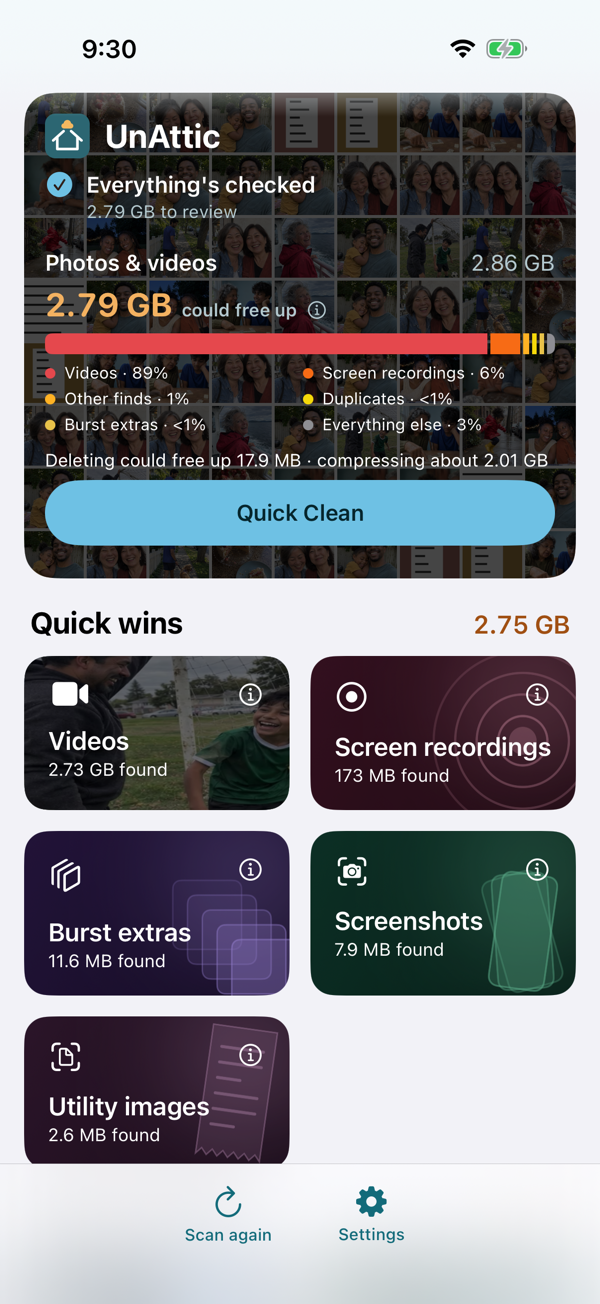
What's using space, largest first -

Honest about when space comes back
Free to scan and review
One scan sorts what's taking up space, biggest first. You review everything before anything is deleted.
-
Large videos
Videos over 50 MB, largest first, with their size and length. Choose any size from 20 to 100 MB in Settings. Free users can delete up to 1 GB in total; Pro removes the limit.
-
Screenshots and screen recordings
Every screenshot and screen recording in one place, ready to clear out.
-
Burst extras
The near-identical frames iPhone hides when you hold the shutter. The photo you see in Photos is always kept.
-
The Library
Browse your whole library, largest first, as a grid or a swipe stack. Filter by storage place, year or size, and preview any item. Browsing is always free; deleting counts toward the free 1 GB allowance, same as everywhere else.
-
Quick to open, quick to rescan
Your last scan is there the moment you open the app. Later scans only look at new or changed photos, and a big library's first check can finish while your iPhone is charging.
-
Watch before you delete
Play any video or view any photo full screen before deciding, even ones stored in iCloud.
-
Recently Deleted, explained
Deleted items still use space for 30 days. UnAttic shows how to empty Recently Deleted and can remind you the next day.
-
Try compression free
Compress one video, and one batch of up to 10 photos, before deciding on Pro.
Smart cleanup with Pro
See everything these find for free. Delete up to 1 GB in total free, then Pro removes the limit.
-
Quick Clean Pro
The app's best guess at what you won't miss, from duplicates to photo quality finds to compression, reviewed in one grid. Reviewing the plan is free; running it needs Pro.
-
Duplicates and similar Pro
Found automatically. Each group keeps a best shot, with the reason, such as “Sharpest”. Pick another with one tap.
-
Photo quality Pro
Blurry photos, accidental shots, photos too dark or too bright, cut-off people and missed focus, plus bad shots that have a better version.
-
Utility images Pro
Receipts, documents and photos of text you needed once. Requires iOS 18 or later.
-
Live Photos to regular photos Pro
Keeps the photo and removes the short video part you don't need.
-
Photo and video compression Pro
Saves a smaller copy with the original's date, location, favorites and albums. You decide when the original goes.
Your photos stay on your iPhone
- Scanning, smart cleanup and compression all happen on your device, with Apple's built-in frameworks. Nothing is uploaded.
- No account, no ads, no analytics, no tracking.
- Nothing is deleted until you choose it and confirm in iOS's own prompt.
- Works offline. The only downloads are your own originals from iCloud, when a photo or video you open is stored there.
Free and Pro
$5.99 a month, or $19.99 a year.
Delete up to 1 GB in total of duplicates, bad shots and more free. Prices may vary by country; the app shows yours before you buy.
| Feature | Free | Pro |
|---|---|---|
| Scan and dashboard | Yes | Yes |
| Screenshots, screen recordings, burst extras | Unlimited cleanup | Unlimited cleanup |
| The Library (browse, filter and preview) | Yes | Yes |
| Recently Deleted guide and reminder | Yes | Yes |
| Large videos, duplicates, photo quality, utility images and the Library's deletes | Share a 1 GB allowance | Unlimited |
| Quick Clean | Review the plan | Run it |
| Live Photos to regular photos | — | Yes |
| Video compression | 1 video | Unlimited |
| Photo compression | 1 batch of up to 10 photos | Unlimited |
Both plans renew automatically until you cancel, which you can do anytime in your Apple Account settings. Switching from monthly to yearly starts right away with no gap in Pro. No free trials.