Features

What UnAttic does, in plain words. Everything runs on your iPhone, and nothing is deleted until you choose it and confirm.

Free

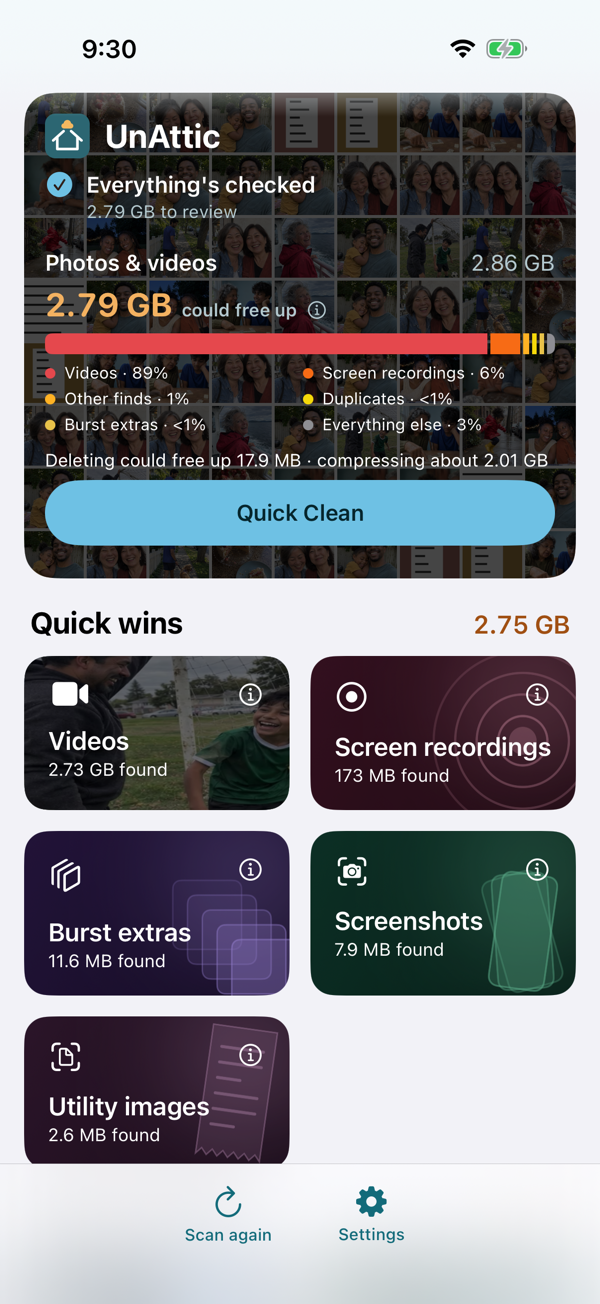
The dashboard: “You could free up 2.72 GB”, with each category listed by size.

Scan and dashboard

One scan sorts your library into categories, largest first, with how much each could free up. It's an estimate: space comes back once Recently Deleted is emptied. Later scans only look at new or changed photos, and your last scan is shown the moment you open the app.

Quick Clean: duplicates and photo quality finds grouped in one grid, most already selected, with a Delete and Compress button.

Quick Clean

The app's best guess at what you won't miss, from duplicates to photo quality finds to videos and photos worth compressing, reviewed in one grid before anything happens. Favorites and edited photos are never selected for you. One button deletes and compresses what's left selected, and iOS still confirms every delete. Reviewing the plan is free; running it needs Pro.

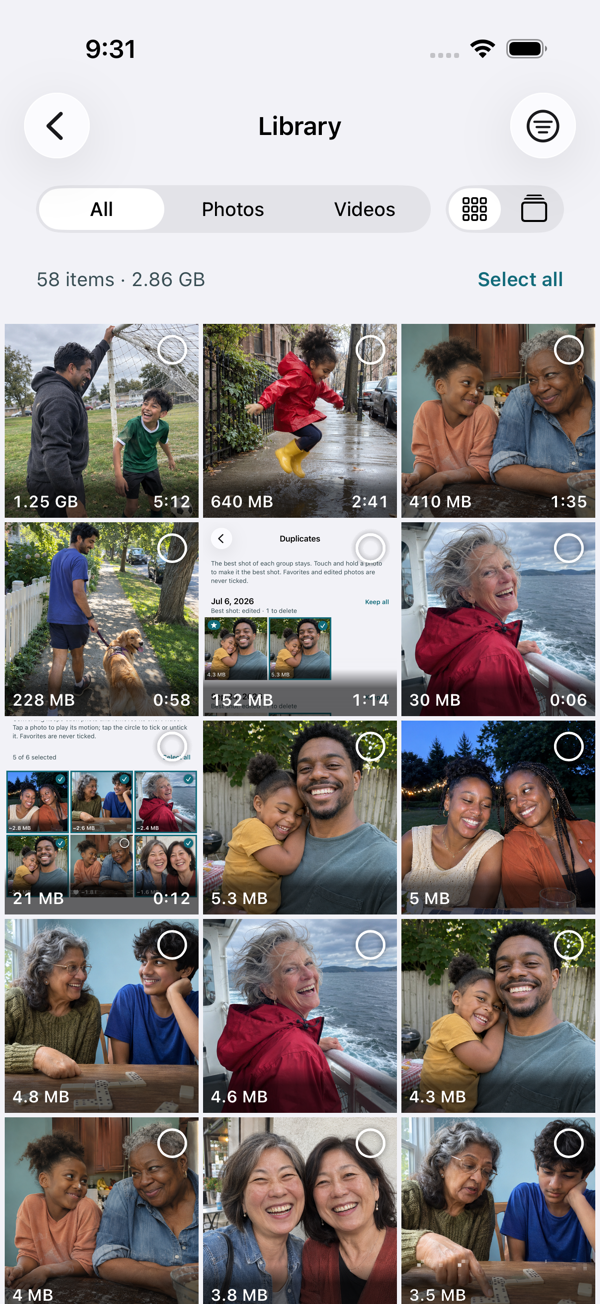
The Library grid: every photo and video, largest first, with a Filter button and size badges on each tile.

The Library

Your whole library, largest first, as a grid or a swipe stack. Filter by storage place (on this iPhone, or only in iCloud), year or size, and sort by size or date. With Optimize iPhone Storage on, iOS moves originals in and out of iCloud by itself, and with iCloud Photos on, every photo and video counts toward your iCloud storage wherever its original is kept. Preview any item full screen; ones only in iCloud load when you open them and nothing is kept on your iPhone.

Browsing, filtering and previewing are always free. Deleting counts toward the same 1 GB free cleanup allowance as everywhere else, in batches of 200 so iOS asks you to confirm each one; Pro removes the limit.

Your iCloud plan, and what cleaning up could save

UnAttic guesses your iCloud+ plan from the size of your library (you can correct it) and, when your photos alone are close to filling it, shows what staying on your current plan instead of upgrading would be worth over a year, in money, using Apple's own prices. It also tracks how fast your library is growing, so you can see a plan change coming before you need one.

Large videos

Videos over 50 MB, with their size and length. Choose any size from 20 to 100 MB in Settings; the list updates right away.

Screenshots and screen recordings

Every screenshot and screen recording in one place. Select all, or pick the ones you want to keep.

Burst extras

When you hold the shutter, iPhone takes a quick series of photos called a burst. Photos shows only one photo from each burst and hides the rest. These are the hidden extras. They look almost identical because they were taken a fraction of a second apart. Deleting them keeps the photo you see in Photos.

“Moved to Recently Deleted” with the steps to empty it in the Photos app.

Recently Deleted guide and reminder

Deleted photos and videos go to Recently Deleted in the Photos app and keep using space for 30 days. After a cleanup, UnAttic shows the steps to empty it (the app can't do it for you) and, if you like, reminds you the next day.

Watch before you delete

Play any video or view any photo full screen, swipe through, then keep, select or delete. Videos stored in iCloud are downloaded to play.

Smart cleanup and Pro

Everyone sees what these find and how much it could free up. Free users can delete up to 1 GB in total; Pro removes the limit.

Groups of similar photos, each with a best shot marked by a star and the other copies selected.

Duplicates and similar Pro

Found automatically after the scan, with no button to press. Each group keeps a best shot, with the reason (such as “Sharpest” or “Clearest faces”); the others are selected for you, never favorites or edited photos. Tap the star on another photo to keep that one instead.

Photo quality Pro

Checks that each give a short reason under the photo:

  • Blurry photos and missed focus
  • Accidental shots, like the ones taken in a pocket
  • Photos too dark or too bright
  • Cut-off people
  • Bad shots that have a better version

It's careful on purpose: it would rather miss a bad photo than suggest a good one. Portrait mode, Live Photo effects, favorites and selfies are left alone where the check doesn't fit them.

Utility images Pro

Receipts, documents, whiteboards and photos of text you needed once. Requires iOS 18 or later.

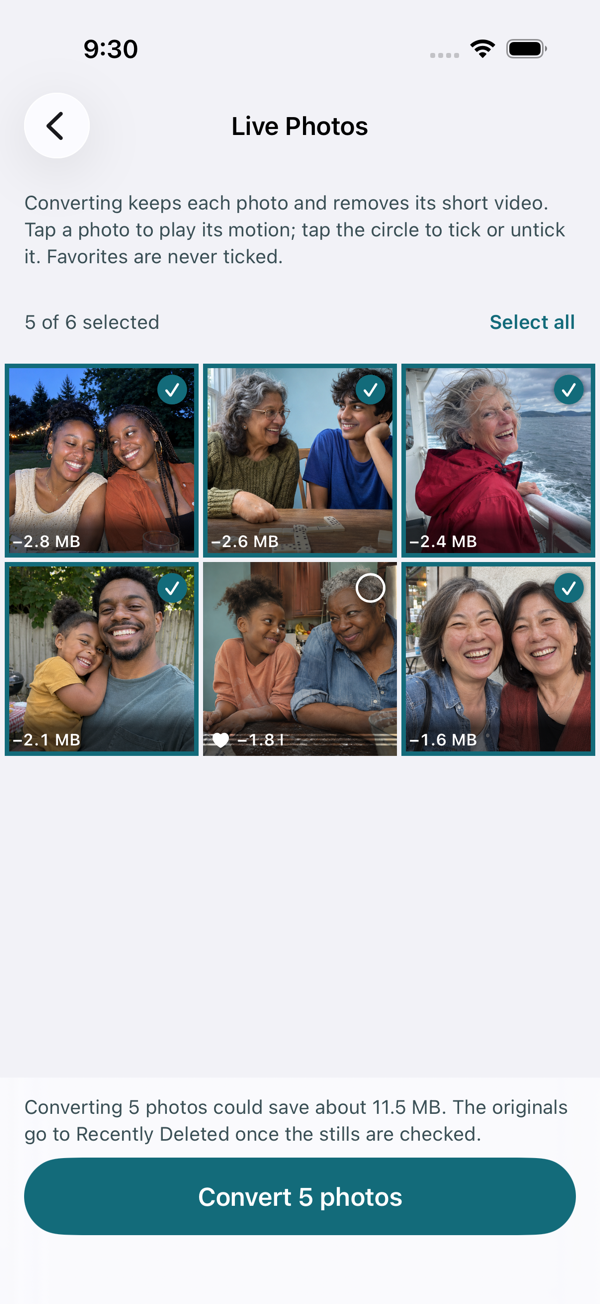
Live Photos with the space each conversion saves.

Live Photos to regular photos Pro

Keeps the photo you see and removes the short video part. The new photo keeps the date, location, favorite status and albums; edits are kept as they look. Live Photos with Loop, Bounce or Long Exposure, and photos in shared albums, are left alone.

Photo and video compression Pro

Saves a smaller copy (HEIC for photos, HEVC at 1080p for videos) with the original's date, location, favorite status and albums, checks it, and only then offers to delete the original. Photos that wouldn't get at least 30% smaller are skipped, and so are RAW, Portrait, Live and burst photos. Try one video, and one batch of up to 10 photos, free.

Also

Notifications, only if you want them

All scheduled on your iPhone, never at night (9 PM to 9 AM), at most one reminder a day, and never marketing:

  • Recently Deleted reminder, the day after a cleanup (on by default)
  • Storage check-ins: a weekly or daily summary of new large videos and photos worth reviewing (off until you turn them on)
  • A monthly cleanup reminder (off by default)
  • Compression done, when the app isn't on screen

Turn each one on or off in the app's Settings, under Notifications.

Big libraries

Smart cleanup runs one category at a time, so the first results show up within seconds. With more than 20,000 photos, UnAttic can finish the first check while your iPhone is charging.

iPhone, iPad and Mac

Works on iPhone and iPad with iOS 17 or later, and on Mac computers with Apple silicon. Some features need iOS 18 or later, such as utility images.